






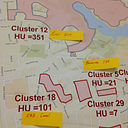







January Webinar: GIS Operations Dashboard
Happy New Year everyone!
Please join us on Tuesday, January 21 at 1:00pm EDT to hear from Dr. Brian Hendricks on "GIS Operations Dashboard."
About the presentation:
Public health decision making is becoming increasingly complex. Integration of GIS systems and spatial analysis help inform our response leading to more empirically driven resource management and intervention. Today Dr. Hendricks will be introducing several key functionalities in building dynamic data interfaces for intra-agency and stakeholder communication using ESRI’s ArcGIS Online platform. Tools described during the discussion are being applied in West Virginia to relay key outcomes of the Statewide Opioid Response and Substance Use-Disorder Prevention that Promotes Opioid Recovery and Treatment (SUPPORT) for Patients and Communities Act initiatives.
By the end of the webinar, participants will be able to:
Please join us on Tuesday, January 21 at 1:00pm EDT to hear from Dr. Brian Hendricks on "GIS Operations Dashboard."
About the presentation:
Public health decision making is becoming increasingly complex. Integration of GIS systems and spatial analysis help inform our response leading to more empirically driven resource management and intervention. Today Dr. Hendricks will be introducing several key functionalities in building dynamic data interfaces for intra-agency and stakeholder communication using ESRI’s ArcGIS Online platform. Tools described during the discussion are being applied in West Virginia to relay key outcomes of the Statewide Opioid Response and Substance Use-Disorder Prevention that Promotes Opioid Recovery and Treatment (SUPPORT) for Patients and Communities Act initiatives.
By the end of the webinar, participants will be able to:
- Summarize importance of ESRI’s Operation Dashboard and related tools to build dynamic interfaces for public health decision making.
- Execute the steps to organize a theoretical operations dashboard for a public health response
About our speaker:
Dr. Brian Hendricks is a Research Assistant Professor and spatial epidemiologist at the West Virginia University School of Public Health. Additionally, he serves as the lead spatial analyst for the WV Clinical and Translational Sciences Institute Clinical Research Design, Epidemiology, and Biostatistics core. Recent work includes published studies examining the spatial context of infectious disease, drug overdose, cardiovascular disease, and fatal motor vehicle crashes in West Virginia
Dr. Brian Hendricks is a Research Assistant Professor and spatial epidemiologist at the West Virginia University School of Public Health. Additionally, he serves as the lead spatial analyst for the WV Clinical and Translational Sciences Institute Clinical Research Design, Epidemiology, and Biostatistics core. Recent work includes published studies examining the spatial context of infectious disease, drug overdose, cardiovascular disease, and fatal motor vehicle crashes in West Virginia
WebEx Information:
Call-in number: 1-877-668-4490
Access code: 793 598 464
Password: epi1234
To join the webinar:
1. Go to https://cste.webex.com/cste/k2/j.php?MTID=tcd239ed9ccc9a761a247e4be5dd47b23
2. Enter your name and email address (or registration ID).
3. Enter the session password: epi1234
4. Click "Join Now".
5. Follow the instructions that appear on your screen.
To view in other time zones or languages, please click the link
https://cste.webex.com/cste/k2/j.php?MTID=tdd232a25299cdafcd37b38d4bba2c961
To join the webinar:
1. Go to https://cste.webex.com/cste/k2/j.php?MTID=tcd239ed9ccc9a761a247e4be5dd47b23
2. Enter your name and email address (or registration ID).
3. Enter the session password: epi1234
4. Click "Join Now".
5. Follow the instructions that appear on your screen.
To view in other time zones or languages, please click the link
https://cste.webex.com/cste/k2/j.php?MTID=tdd232a25299cdafcd37b38d4bba2c961